
Create Your Own QR-Code
Оглавление секции
-
By creating your own QR-Code linked to either your CLA-Directory or Soul Center Listing will help generate easy sharable access for anyone to view your details/listings; and would also confirm your status in one easy click.
How it works:
Simply CLICK HERE → and create your own QR-Code in 3 easy steps:
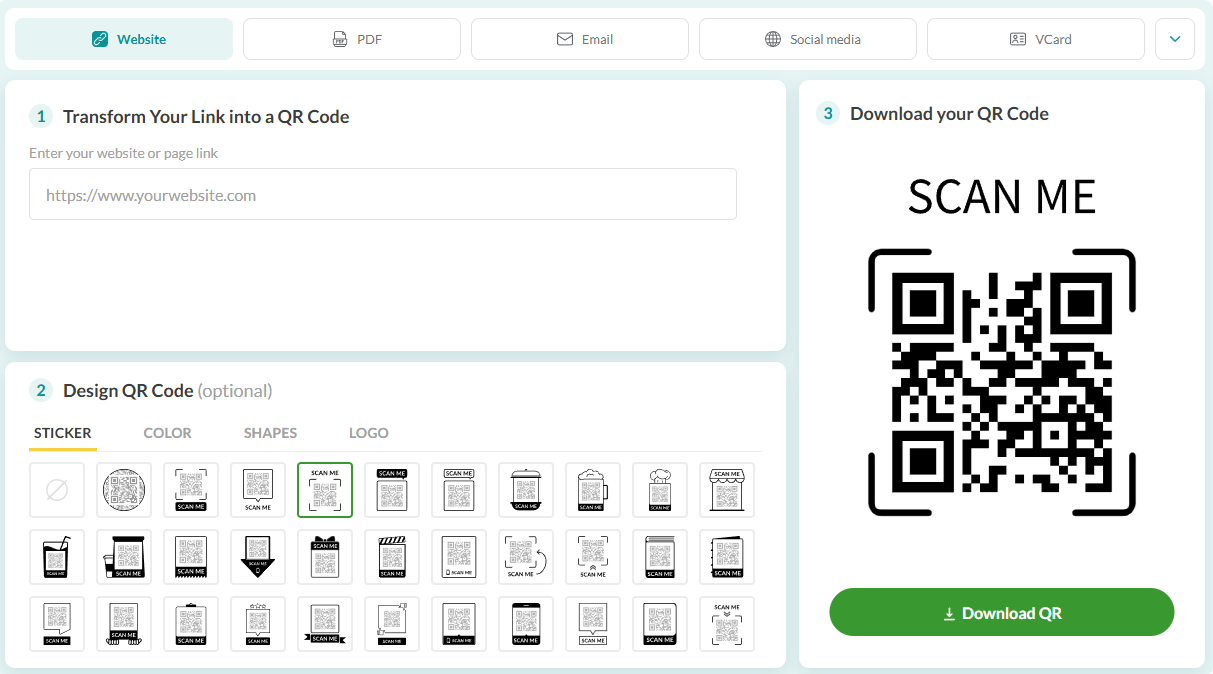
- Copy and Paste your personal link (CLA-Directory Link -or- Soul Center Link) into option 1.
- Select your preferred QR Design.
- Download your QR-Code for free.
How to find your CLA-Directory Link:
1) Sign into your CLI Account using www.christianleaders.org
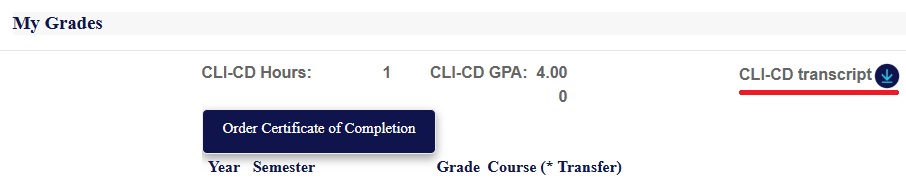
2) Scroll down to 'My Grades' and download your Transcript:
3) Open your Transcript and locate your Student ID at the top right coner:
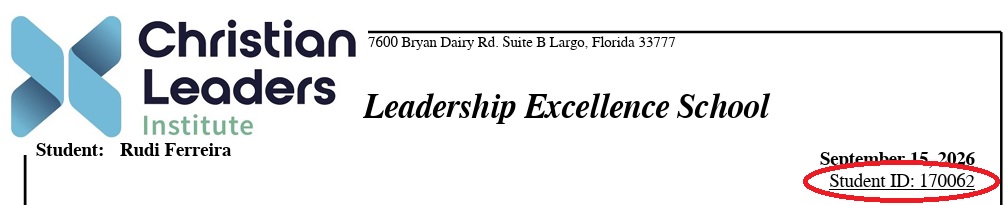
4) Copy your Student ID and add to this link:
EXample: http://www.christianleadersinstitute.org/cli-directory?id=(add student number)
This will form a direct link to your CLA-Directory listing.
5) Copy and Paste your CLA-Directory Link into - Option 1: Transform Your Link Into a QR Code.